
Bring in the trial balance
Import the balances or enter them manually. Either way, the year starts inside the file instead of in a fresh collection of spreadsheets.
ProAudit · Accounts production
Trial balances, lead schedules and IAS and IFRS financial statements stay within one working flow, ready for review and export to Word.
Actual ProAudit product view
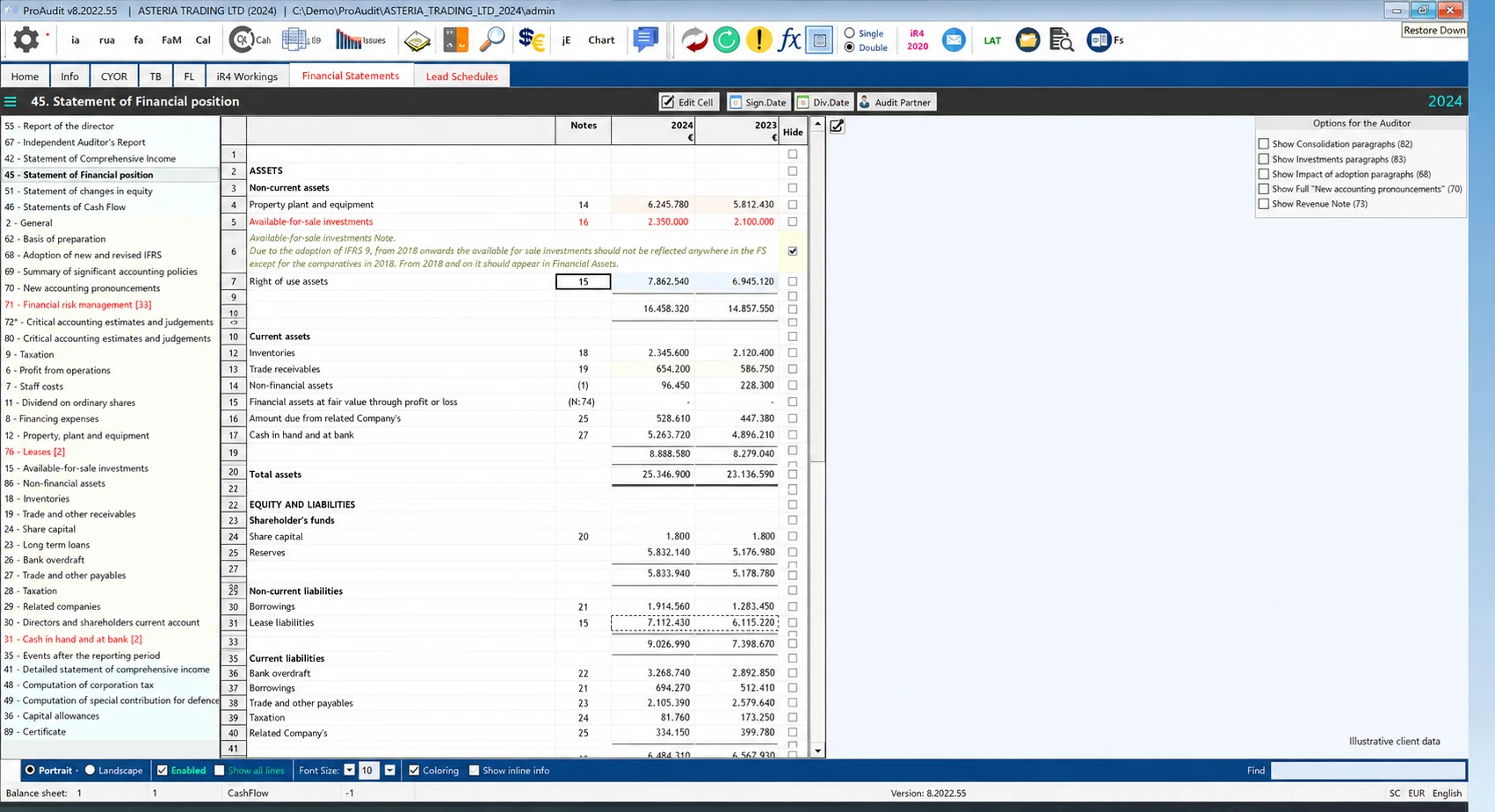
Inside ProAudit
For 28 years, the point has stayed rather unglamorous: keep the trial balance, lead schedules, supporting calculations and financial statements close enough to review as one job. Then export the finished report to Word.
What ProAudit actually does
Start with the trial balance, keep the schedules and calculations with it, then prepare and review the financial statements from the same year-end file.
Import the balances or enter them manually. Either way, the year starts inside the file instead of in a fresh collection of spreadsheets.
Review three consecutive years in the cross-year trial balance, with the history visible while you work on the current year.
Organise lead schedules and adjustments around the trial balance, so the reasoning stays beside the numbers being reviewed.
Maintain fixed assets, depreciation and capital allowances inside the same accounts-production workflow.
Bring the completed work into IAS and IFRS financial statements, review the result, then export the final report to Word.
Receive product and compliance releases through ProAudit’s update service, rather than discovering a change at the deadline.
Included with ProAudit
TaxForms is bundled with ProAudit and supported by the same Proadco team. Current form coverage is confirmed against the release and the tax work your firm actually handles.
Explore TaxForms coverageA closer look
Bring one real year-end workflow. We’ll show where the trial balance enters, where the schedules stay and how the accounts reach Word—then answer what the product supports and what it does not.
See it with your workflow